Holomedia AI Wayfinder Assistant

Help every visitor find their way, in their own language.

An interactive avatar kiosk that gives visitors clear first steps and walking times to wherever they’re going, synced with your facility data and live maps.

Book a demo Explore the assistant

In use at Boston Logan and LaGuardia
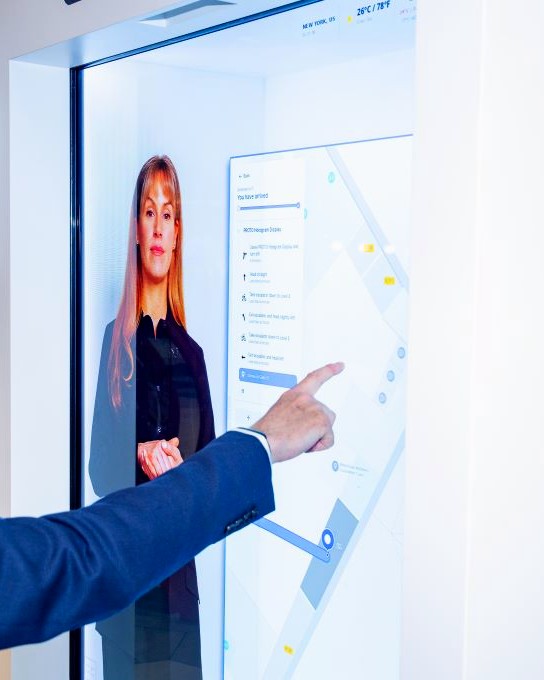
A visitor taps a route on the AI Wayfinder map while the avatar guides them, on a Proto display in an airport terminal

Overview

“How do I get there from here?”

The question visitors ask most in any large space, answered at the kiosk in seconds.

Airports, hospitals, campuses and shopping centres share the same challenge: large spaces, changing layouts and people short on time. The AI Wayfinder Assistant gives visitors personal directions with clear first-step guidance and estimated walking times, in their preferred language.

Your assistant is a branded avatar, synced with your facility data and deployed across a network of kiosks. It handles the everyday questions so your front-desk and guest services teams don’t have to.

  • Directions to any destination in your facility
  • First steps and estimated walking times
  • Answers in the visitor’s language
  • QR code hand-off to their phone
  • Wheelchair-height interface and closed captions

Where it works

Built for any space people need to navigate

If visitors stop staff to ask for directions, a Wayfinder Assistant can help.

Airports

Gates, security, dining and shops, with help outside staffed hours.

Hospitals and health campuses

Clinics, departments, labs and parking, so staff aren’t stopped for directions.

Shopping centres

Stores, restaurants, washrooms and exits, with recommendations that bring in visits.

Universities and campuses

Buildings, lecture halls and student services for new students and visitors.

Transit stations

Platforms, connections and exits, in the languages your riders speak.

Convention and event venues

Halls, sessions and exhibitors, updated for each event.

Corporate offices and lobbies

Visitor check-in, meeting rooms and building amenities.

Museums and attractions

Exhibits, tours and facilities, in each visitor’s own language.

Why it matters

More visitors, more questions

Large spaces need help that’s multilingual, accessible and available around the clock.

Growing visitor numbers

More people means more demand for information, directions and support.

Help outside staffed hours

The assistant answers questions at peak times and when staff aren’t on shift.

A better visitor experience

Multilingual, accessible directions let people find their own way through complex spaces.

More visits to shops and services

Recommendations and discovery turn better directions into more transactions.

Case study · Airports

Boston Logan International Airport

Results from the first 90 days of the deployment at Boston Logan.

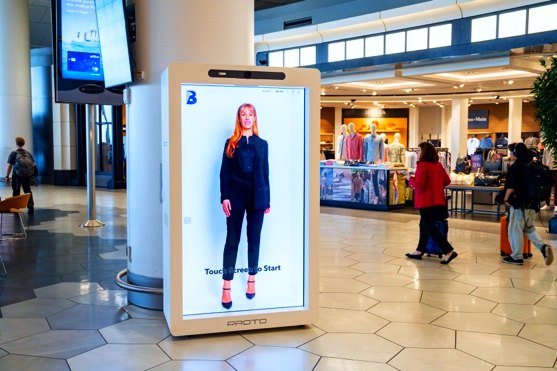
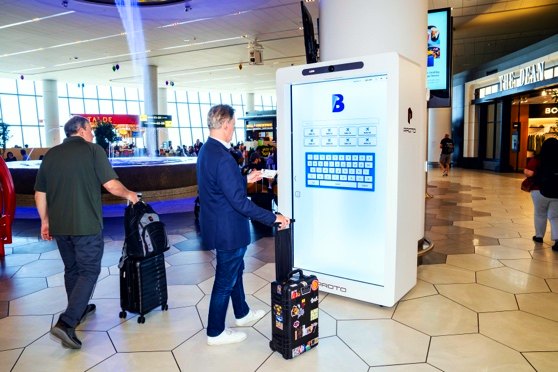
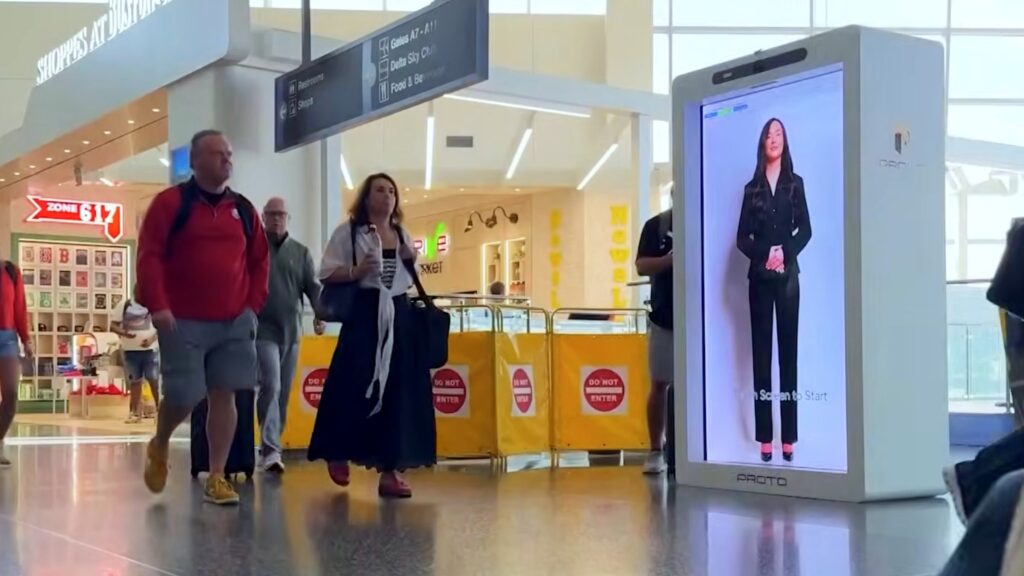
Wayfinder Assistant kiosk with an avatar in a Boston Logan terminalTravellers using the Wayfinder Assistant kiosk at Boston LoganTravellers walking past the Proto Wayfinder display at Boston Logan
9devices across 4 terminals
24,107guided passenger assists
3,314guided gate assists
14%+of assists outside staffed hours
24.3%of passengers guided to shops and restaurants
+19%commercial conversion, vs 1% for mobile app users
3languages: English, Spanish, French
90 daysinitial deployment

Source: Massport, Boston Logan reporting and analytics dashboard.

In the news

AI wayfinding in a live terminal

The Boston Logan deployment, featuring the Amelia wayfinding assistant, drew coverage from the Boston Globe, NBC and CNN Newsroom.

How it works

From kickoff to a working kiosk

Five steps to a Wayfinder Assistant built around your space and your brand.

  1. Choose your avatarPick an off-the-shelf avatar persona and customize the wardrobe.
  2. Select your languagesLaunch with two languages, with 175+ available, including translated content.
  3. Apply your brandCustom interface design that follows your brand guidelines.
  4. Connect your dataGestures, lip movement and voice synced with your approved messaging, visitor information, points of interest and live maps (via API).
  5. Turn on navigation and accessibilityExpress routes with first-step guidance and walking times, QR code hand-off to mobile, WCAG-compliant maps, automatic closed captions and a wheelchair-height interface.

Deployment

What it takes to launch

From you

What we need

  • Number of devices and their locations
  • Your priorities and points of interest
  • Feedback and approvals
  • Dedicated Ethernet (50 Mbps up and down) with firewall ports opened

Timing

Delivery

4–6 weeks

From approval of your UI/UX design and content to a working kiosk.

See the Wayfinder Assistant in action

Book a demo